

Last Updated: October 28, 2026
Table of Contents
Introduction
From the earliest days of computing to today’s advanced gaming systems, technology has continuously evolved to deliver faster, smoother, and more immersive experiences. Gaming has progressed from simple titles such as Spacewar! to modern multiplayer games that demand reliable internet connectivity, low latency, and consistent performance.
One of the most important factors in online gaming is network quality. A capable gaming router can help reduce network congestion, manage connected devices, and prioritise gaming traffic. Although a router cannot eliminate every instance of lag, choosing the right model can improve connectivity and help provide a more stable gaming experience.
Gaming routers offer features such as Quality of Service (QoS), dual-band or tri-band connectivity, advanced wireless standards, and device management. Some also provide gaming dashboards, security tools, and traffic prioritisation based on applications or devices.
In this guide, we explore 10 gaming routers worth considering in 2026, their key features, and the factors you should evaluate before making a purchase. Availability, pricing, and firmware support can vary, so check the latest specifications before buying.
What Makes a Good Gaming Router?
Before comparing individual routers, it is important to understand the features that can influence gaming performance.
- Low latency: Helps reduce delays between your actions and the game server’s response.
- Quality of Service (QoS): Can prioritise gaming traffic when other devices are using the network.
- Wi-Fi 6 or Wi-Fi 7: Newer wireless standards can improve efficiency, capacity, and performance with compatible devices.
- Multi-band connectivity: Dual-band and tri-band routers can distribute devices across available frequency bands.
- Wired Ethernet ports: A wired connection is often preferable for competitive gaming because it generally provides more consistent latency than Wi-Fi.
- Coverage: Antenna design, router placement, walls, and interference all affect wireless performance.
- Security: Firmware updates, encryption, and network protection features help safeguard connected devices.
Advertised wireless speeds represent theoretical or combined capacities under specific conditions. They do not guarantee that a single gaming device will achieve the same speed.
Best 10 Gaming Routers to Consider in 2026
1. D-Link DIR-867
The D-Link DIR-867 is a dual-band wireless router designed for households that need reliable connectivity for gaming, streaming, and everyday internet use.
Its features include multiple external antennas, MU-MIMO support, and traffic management capabilities intended to help connected devices share available network resources.
Key features:
- Dual-band Wi-Fi connectivity.
- Four external antennas.
- MU-MIMO support.
- Gigabit Ethernet connectivity.
- Traffic management features.
The DIR-867 may be worth considering for a budget-conscious gaming setup, particularly when available at a competitive price. However, it is an older model, so buyers should verify its current availability, firmware support, and compatibility with their internet connection.
2. Netgear Nighthawk AX12
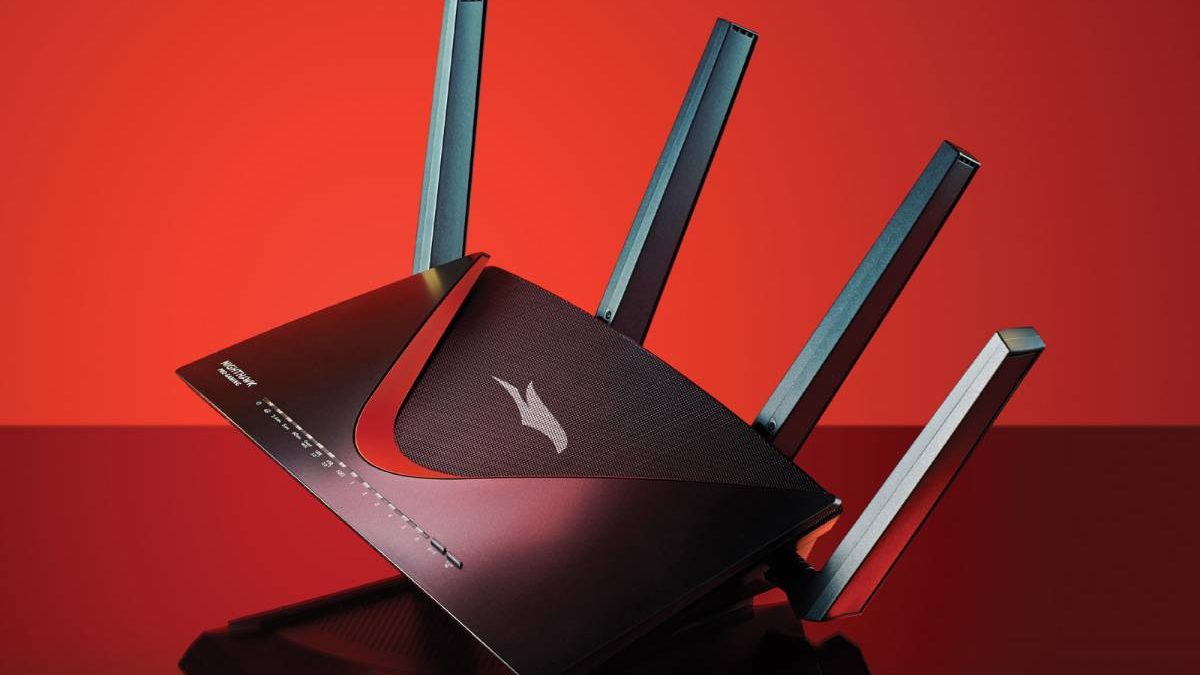
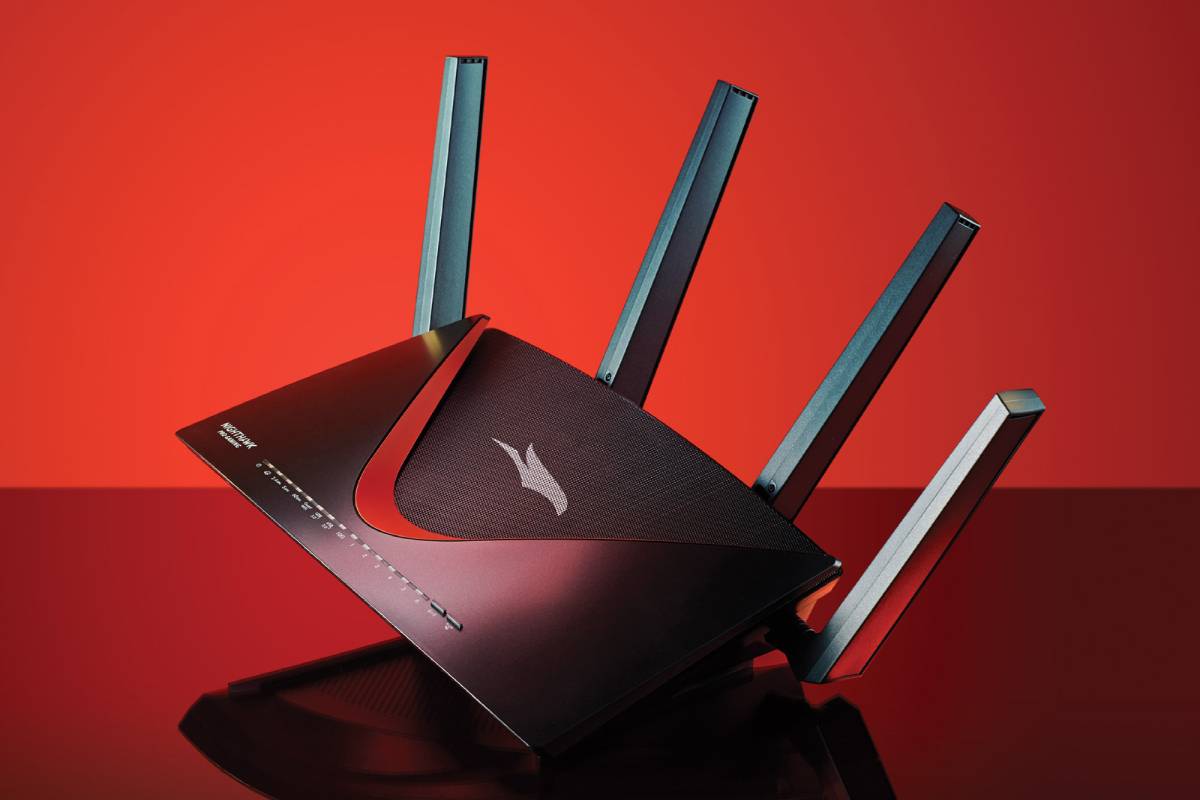
The Netgear Nighthawk AX12 is a Wi-Fi 6 router designed for high-demand home networks. Its distinctive antenna design and advanced wireless features make it suitable for households with multiple connected devices.
Depending on the exact model, the AX12 family supports features such as OFDMA, MU-MIMO, and advanced network management. Certain versions also include security services designed to help protect connected devices.
Key features:
- Wi-Fi 6 connectivity.
- Multi-device wireless management.
- OFDMA and MU-MIMO support.
- Multiple Ethernet ports.
- High-capacity wireless networking.
The Nighthawk AX12 is worth considering for gaming households that also stream video, download large files, and connect smart-home devices. Confirm the exact model number because specifications differ between Nighthawk variants.
3. AmpliFi HD Gamer’s Edition
The AmpliFi HD Gamer’s Edition is designed to improve wireless coverage and provide a more manageable home networking experience. Its system combines a central router with mesh-style coverage options, depending on the package.
The Gamer’s Edition was developed with online gaming in mind, including network optimisation features intended to help reduce latency and manage traffic.
Key features:
- Gaming-oriented network management.
- Wireless coverage expansion.
- A touchscreen-equipped router.
- App-based network configuration.
- Support for connected devices throughout the home.
This model may appeal to gamers who need coverage across multiple rooms rather than simply maximum speed near the router. Since it is an older product, check availability, app compatibility, and ongoing software support before purchasing.
4. ASUS ROG Rapture GT-AX11000
The ASUS ROG Rapture GT-AX11000 is a tri-band Wi-Fi 6 gaming router built for demanding home networks. It provides gaming-oriented controls and network management features aimed at users who want greater control over their connections.
Key features:
- Tri-band Wi-Fi 6 connectivity.
- Dedicated gaming optimisation features.
- Adaptive QoS.
- Multiple Ethernet connections.
- USB connectivity.
- Network security and management tools.
The router’s additional frequency band can help distribute devices across the network, although actual performance depends on device compatibility, interference, and network configuration.
It is a potential option for serious gamers who want advanced controls. However, compare its price with newer Wi-Fi 6E and Wi-Fi 7 alternatives before making a decision.
5. TP-Link Archer AX6000
The TP-Link Archer AX6000 is a dual-band Wi-Fi 6 router designed to handle demanding home networking tasks. Its multi-core processing hardware and multiple Ethernet ports support a range of connected devices.
Key features:
- Dual-band Wi-Fi 6.
- Eight external antennas.
- OFDMA and MU-MIMO support.
- Multiple Gigabit Ethernet ports.
- USB connectivity.
- Network management and security features.
The Archer AX6000 may suit gamers who want strong wired connectivity alongside wireless networking for phones, laptops, televisions, and smart-home devices.
Before buying, verify the hardware revision, supported firmware, and the availability of any security features in your region.
6. ASUS ROG Rapture GT-AXE11000
The ASUS ROG Rapture GT-AXE11000 is a tri-band Wi-Fi 6E gaming router. Unlike standard Wi-Fi 6 routers, Wi-Fi 6E can use the 6 GHz band with compatible devices and where local regulations permit.
Key features:
- Wi-Fi 6E connectivity.
- Access to the 6 GHz band with compatible devices.
- Gaming traffic prioritisation.
- Multi-band wireless networking.
- Advanced network configuration tools.
The 6 GHz band can offer additional wireless capacity and less congestion in suitable environments. However, its shorter effective range through walls means that router placement remains important.
This model is best suited to users who have compatible Wi-Fi 6E devices and want more wireless capacity.
7. TP-Link Archer GE800
The TP-Link Archer GE800 is a Wi-Fi 7 gaming router designed for high-performance home networking. It is a more modern category of router than older Wi-Fi 5 and Wi-Fi 6 models.
Key features:
- Wi-Fi 7 support.
- Multi-band wireless connectivity.
- Gaming-focused design and controls.
- High-speed wired networking, depending on the configuration.
- Network management features for multiple devices.
Wi-Fi 7 can support technologies such as Multi-Link Operation (MLO) on compatible hardware. Actual benefits depend on the router’s firmware, the connected device, and the available frequency bands.
This type of router is worth considering for users building a new high-end network, although its price may be difficult to justify for basic gaming or slower internet plans.
8. Netgear Nighthawk RS700S
The Netgear Nighthawk RS700S is a Wi-Fi 7 router aimed at users who want high-capacity wireless connectivity and support for newer client devices.
Key features:
- Wi-Fi 7 wireless networking.
- Multi-band connectivity.
- High-speed wired networking.
- Support for demanding home internet usage.
- Network management and security features.
The RS700S may suit households with newer laptops, smartphones, and other devices that can take advantage of Wi-Fi 7. It is also relevant to users who transfer large files or run several demanding applications simultaneously.
As with any high-end router, check the internet plan, client-device compatibility, and Ethernet requirements before investing in it.
9. ASUS ROG Rapture GT-BE98
The ASUS ROG Rapture GT-BE98 is a high-end Wi-Fi 7 gaming router designed for users who want extensive wireless capacity and advanced network controls.
Key features:
- Wi-Fi 7 support.
- Multi-band connectivity.
- Gaming traffic prioritisation.
- Advanced network configuration.
- High-speed wired networking on supported ports.
- Security and device management features.
This class of router may be appropriate for large households with multiple high-performance devices, particularly when the network is used for gaming, streaming, and large downloads at the same time.
However, Wi-Fi 7 does not automatically improve every gaming connection. A wired Ethernet connection may still be the better option for a stationary gaming PC or console.
For readers exploring the best gaming routers of and more, it is also useful to understand tof sims how does it work and. That related topic adds practical context and helps connect the broader subject with a more specific use case.
10. TP-Link Archer BE800
The TP-Link Archer BE800 is a Wi-Fi 7 router designed to support high-capacity home networks with newer wireless devices.
Key features:
- Wi-Fi 7 connectivity.
- Multi-band wireless support.
- High-speed wired networking.
- Device and network management.
- Support for multiple simultaneous network activities.
The Archer BE800 is worth comparing with other Wi-Fi 7 routers if you are upgrading your home network for newer laptops, smartphones, gaming systems, and other connected devices.
As with other Wi-Fi 7 products, check the exact hardware specifications and regional availability. Not every connected device will support the newest wireless features.
How to Choose the Best Gaming Router
Selecting a router should depend on your actual gaming environment rather than advertised speed alone.
1. Consider Your Internet Speed
Choose a router that can handle your internet plan and expected local network traffic. A very expensive router may provide little benefit if your internet connection is slow and you do not need advanced local networking features.
2. Prioritise Low Latency
For competitive gaming, latency and stability are often more important than achieving the highest possible download speed. QoS can help manage congestion when other people are streaming or downloading files, but it cannot eliminate latency caused by your internet provider or the game server.
3. Use Ethernet Where Possible
Connecting your gaming PC or console directly to the router using Ethernet usually reduces wireless interference and improves connection consistency.
If running a cable is not practical, position the router in an open, central location and choose a Wi-Fi band suited to the distance and obstacles between the router and your device.
4. Check Wi-Fi Compatibility
Wi-Fi 6, Wi-Fi 6E, and Wi-Fi 7 offer different capabilities. A newer router can still connect to older devices, but those devices cannot take advantage of features they do not support.
Consider your existing hardware and likely upgrade plans before paying extra for the latest wireless standard.
5. Evaluate Security and Firmware Support
Choose a router from a manufacturer that provides security updates and clear product support information. Use strong administrator credentials, modern Wi-Fi encryption, and automatic firmware updates when available.
You can also read this guide to 10.5.50.1 login, logout, username, password, and pause time for more information about router administration and network access. Always use the correct management address and credentials for your own router.
Other Accessories That Can Improve Your Gaming Setup
A gaming experience depends on more than the router. A suitable headset or pair of earbuds can improve communication and help you hear in-game audio more clearly.
For players who prefer compact audio accessories, explore the guide to the best noise-cancelling earbuds you can buy now. Check latency, microphone quality, platform compatibility, and connection type before choosing earbuds for gaming, especially if you play competitive games.
Mobile gaming is another important part of the gaming ecosystem. For a broader look at how mobile applications are designed and developed, read about mobile app design trends and more.
When purchasing a router or other electronics, refurbished equipment may also be worth considering if it comes from a reliable seller and includes appropriate warranty coverage. Learn more about how refurbished electronics can help preserve the environment.
Common Gaming Router Problems and Solutions
Even a capable router cannot guarantee a perfect gaming connection. The following troubleshooting steps can help resolve common problems.
High ping: Check the game server region, internet connection, and whether other devices are consuming bandwidth.
Wireless lag: Move closer to the router, reduce interference, or switch to Ethernet where possible.
Frequent disconnections: Restart the router, check firmware updates, and inspect cables and power connections.
Poor coverage: Reposition the router or consider a compatible mesh system.
Slow downloads: Test the internet connection directly, check network congestion, and confirm that your router and device support the expected speeds.
Unstable connections on older devices: Verify wireless compatibility and update device drivers or firmware when appropriate.
If your router settings allow QoS, configure it carefully to prioritise your gaming device or traffic. Keep in mind that prioritisation manages local network congestion rather than increasing the speed provided by your internet service provider.
Frequently Asked Questions
Do gaming routers really improve gaming performance?
They can improve stability and reduce congestion in busy home networks. However, they cannot guarantee lower ping in every situation because internet routing, server distance, and ISP performance also affect latency.
Is Wi-Fi 7 necessary for gaming?
No. Wi-Fi 6 or even an older router can provide a satisfactory gaming experience when configured correctly. Wi-Fi 7 is most useful when your devices support its features and you need additional wireless capacity or newer networking capabilities.
Is a wired connection better than Wi-Fi for gaming?
Generally, yes. Ethernet often provides lower and more consistent latency because it avoids many sources of wireless interference. A good Wi-Fi connection can still work well when running a cable is impractical.
Does a gaming router increase internet speed?
A router cannot increase the speed supplied by your ISP beyond the limits of your internet plan and connection. It may improve local wireless performance, coverage, and how efficiently multiple devices share the network.
Should I buy a router with multiple antennas?
Not necessarily. Antenna count alone does not determine performance. Wireless standard, antenna design, radio capabilities, interference, router placement, and client-device compatibility are also important.
Conclusion
The best gaming router in 2026 depends on your budget, internet plan, gaming platform, home layout, and connected devices. Older models such as the D-Link DIR-867 and ASUS ROG Rapture GT-AX11000 may remain suitable for some users, while Wi-Fi 7 models offer newer capabilities for those building a high-performance network.
For most gamers, the best approach is to prioritise reliable connectivity, low latency, adequate coverage, security updates, and wired Ethernet where practical. Compare current prices and verified specifications before purchasing, and avoid paying for advanced features that your devices or internet plan cannot use.
A well-chosen router, combined with sensible network configuration and suitable gaming accessories, can help create a smoother and more dependable gaming experience.